01 / DASHBOARD
See every open cook
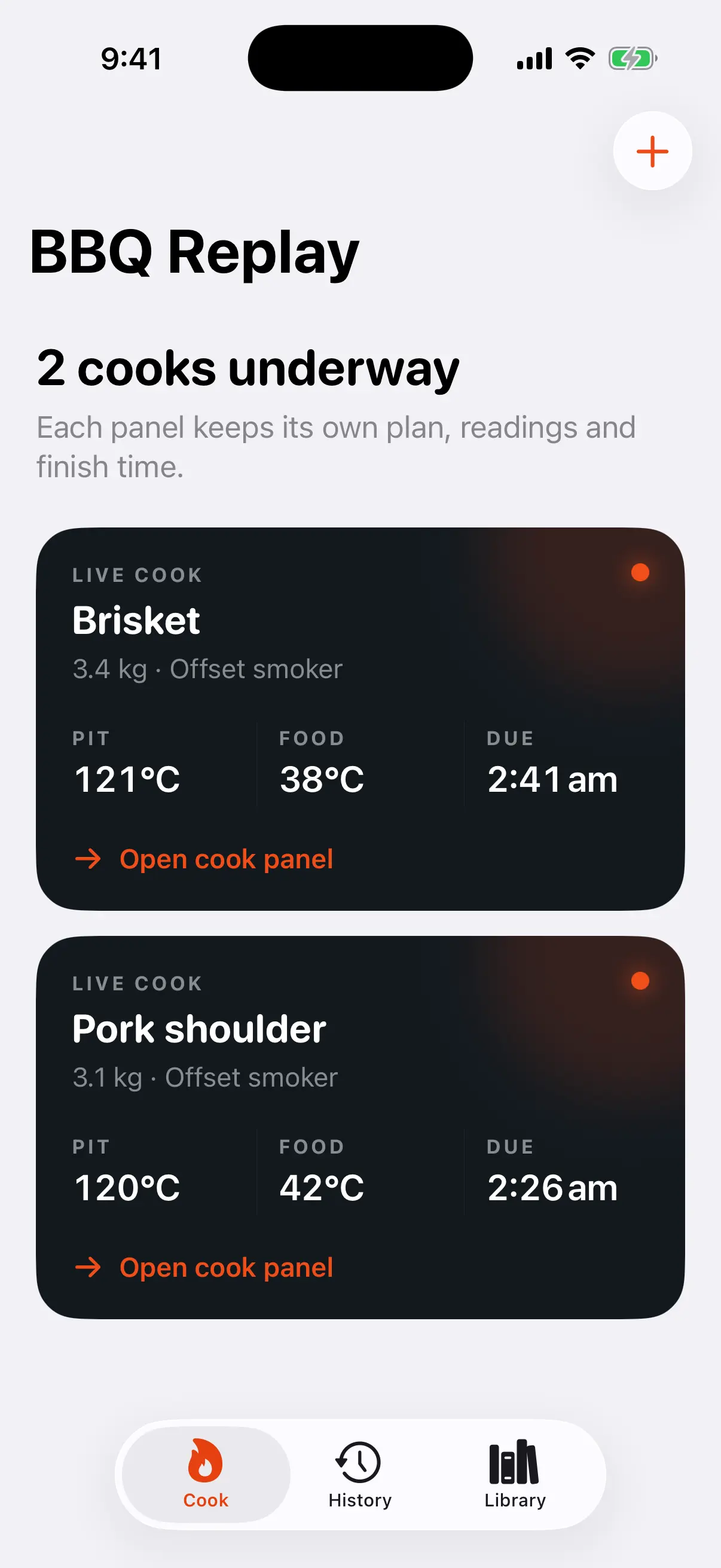
The Cook dashboard gives each active or paused session its own panel and newest reading summary.
 BBQ Replay
SEPARATE COOKS, CLEAR SIGNALS
Two meats can share a meal without sharing the same timing. Each open cook in BBQ Replay keeps its own equipment snapshot, readings, phase sequence and outcome, even when both are active together.
THE USEFUL PARTS
01 / DASHBOARD
The Cook dashboard gives each active or paused session its own panel and newest reading summary.
02 / CONTROL
Logging, pausing, finishing or abandoning one session leaves every other open cook unchanged.
03 / BOUNDARY
Matching equipment names do not silently merge pit readings or fire events. Any future shared-fire relationship would need to be explicit.
FIELD NOTES
The meal may share one serving window, but each meat still needs its own clock, events and finish decision.
INDEPENDENT CLOCKS
Estimate setup, cooking and rest or hold separately, then compare the resulting start windows. One meat may need an overnight start while another can begin much later, even when both are intended for the same table.
SHARED CONSTRAINTS
Note when foods compete for grate space, fuel, prep time or the same pair of hands. BBQ Replay keeps measurements separate because a shared meal does not prove that two cook sessions share one fire or one pit reading.
SEPARATE CONTROL
Each active panel has its own phase, newest readings and due context. Logging an event, pausing a session or completing one meat leaves the other records intact, which reduces mistakes during the busiest part of the day.
The dashboard is a coordination view, while every cook remains a complete record in its own right.
COOKING BOUNDARY
Time and temperature guidance is advisory. Verify food safety and doneness independently using appropriate guidance, your equipment, and your own judgement.
RELATED FIELD NOTE